
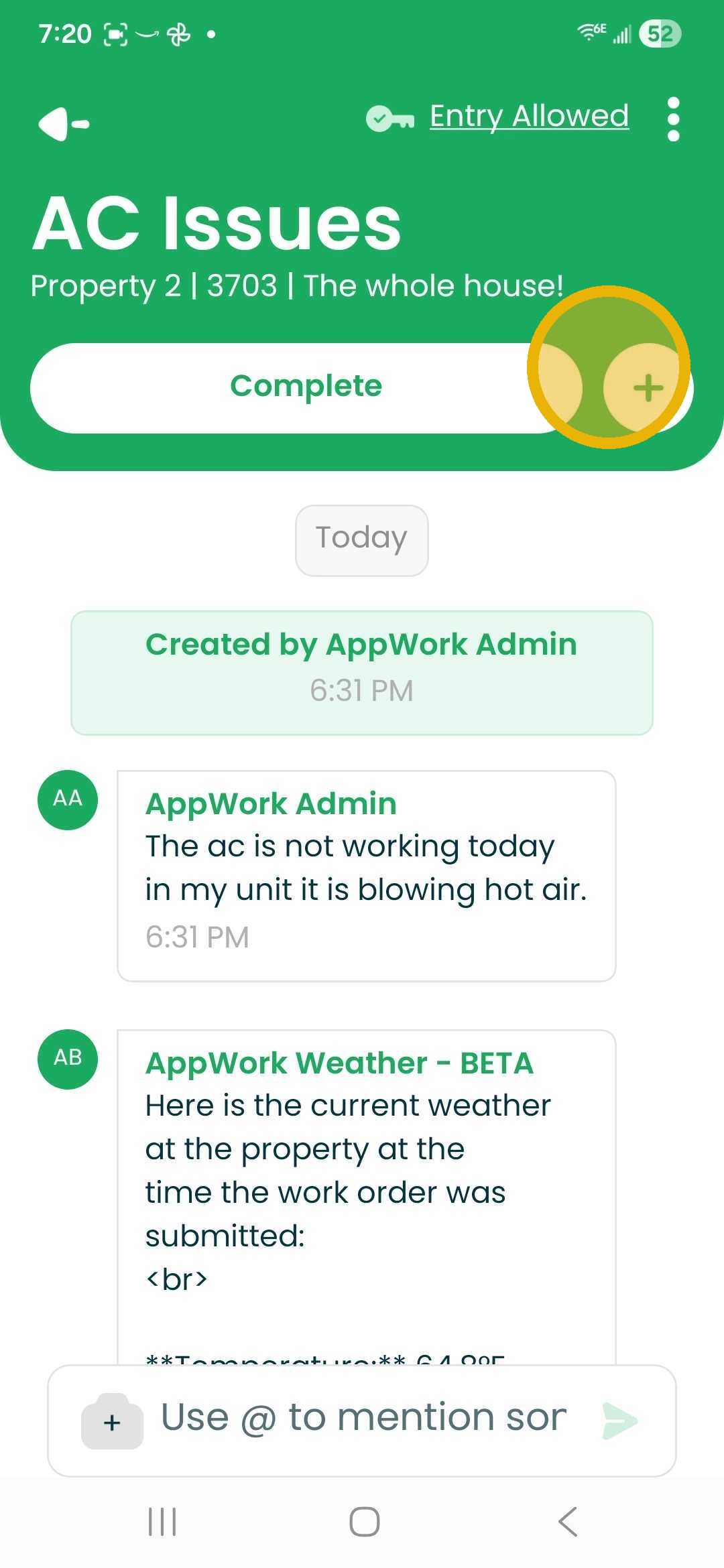
1. Open Work Order -Select the Plus Sign Next to the Start/Complete Button.
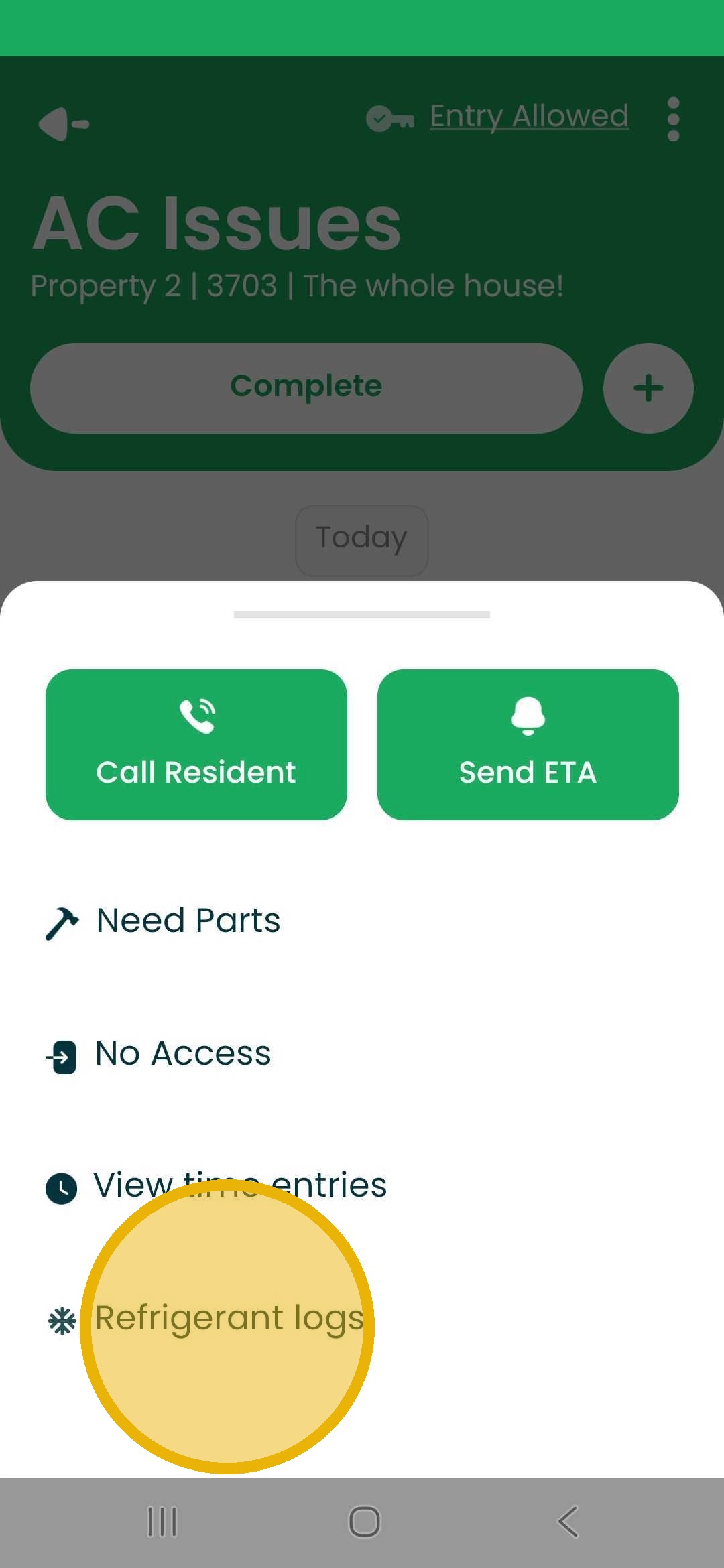
2. Choose Refrigerant Logs
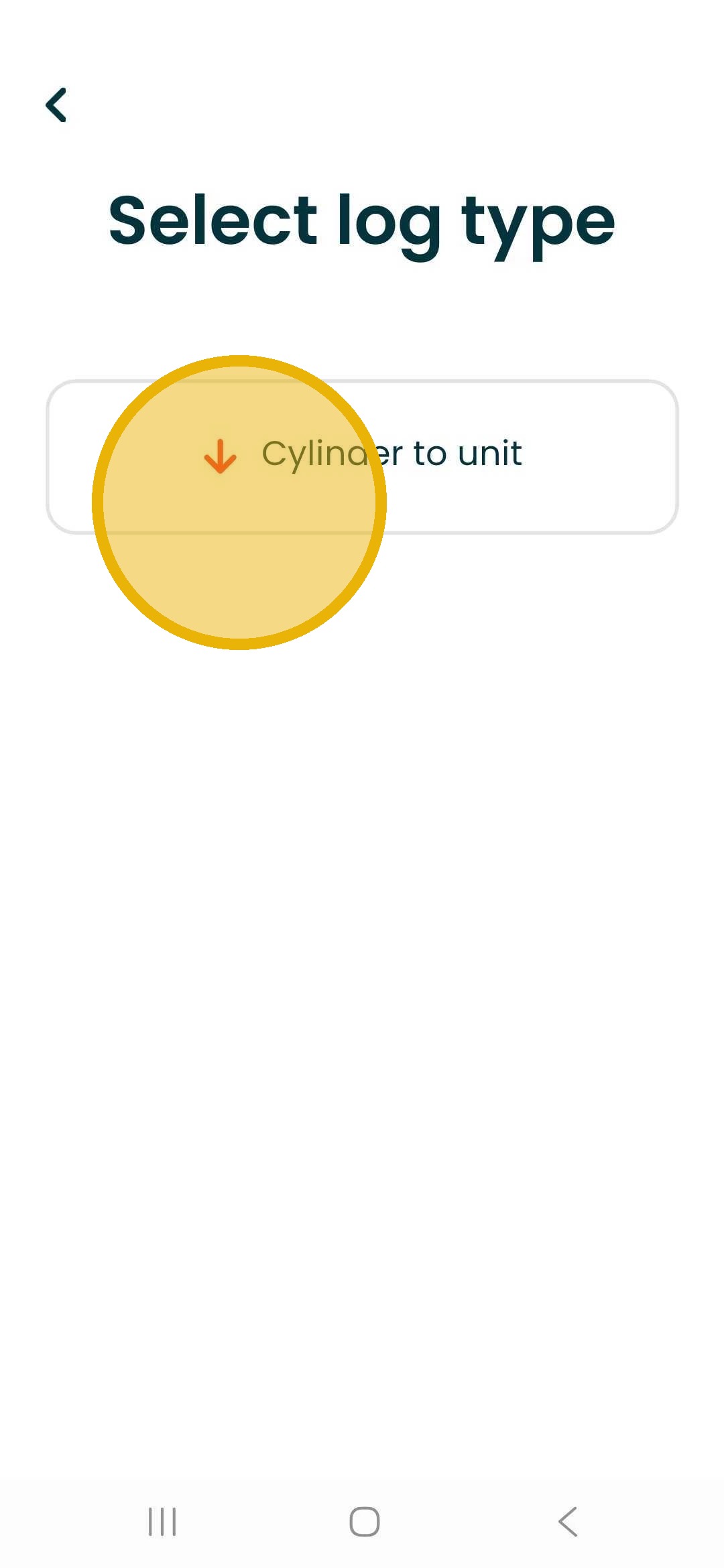
3. Select Log Type
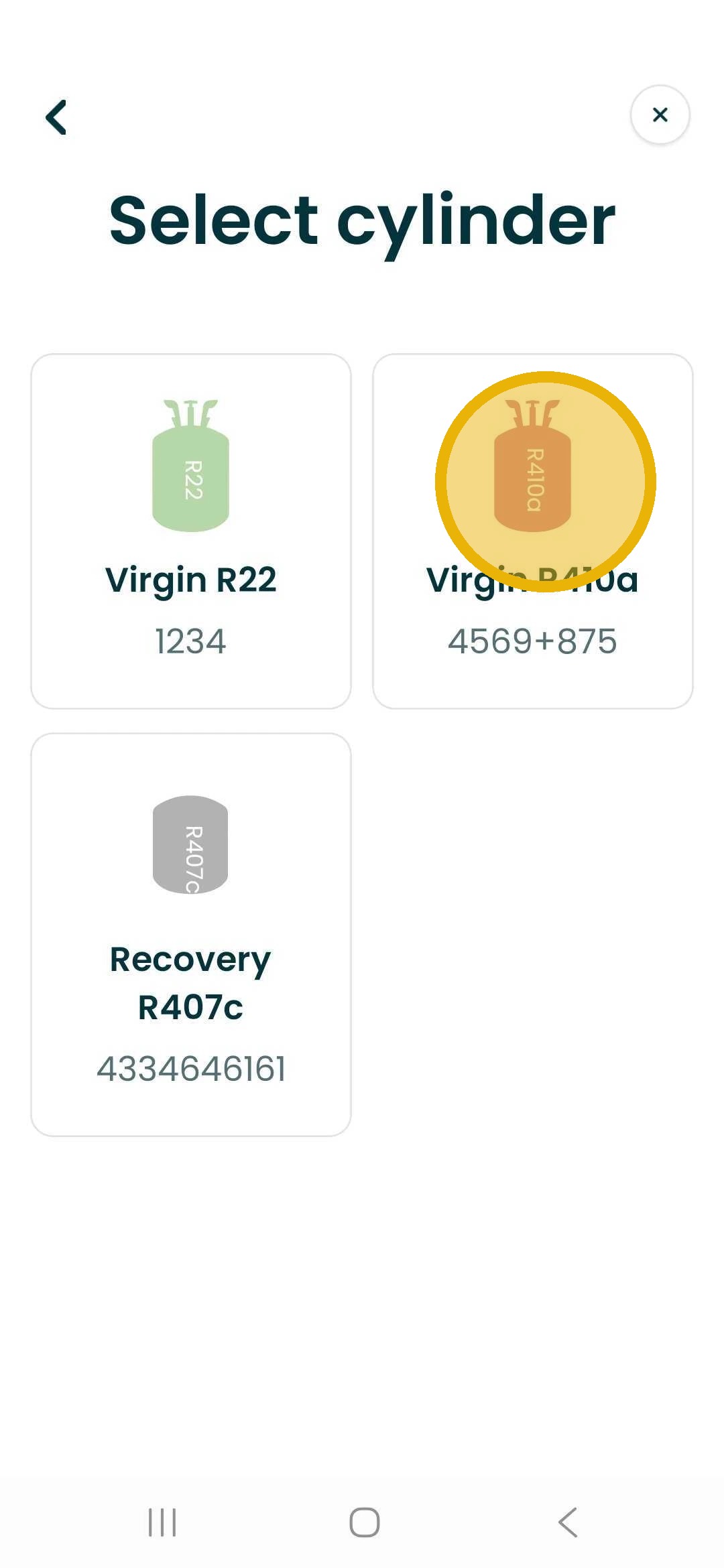
4. Choose Cylinder
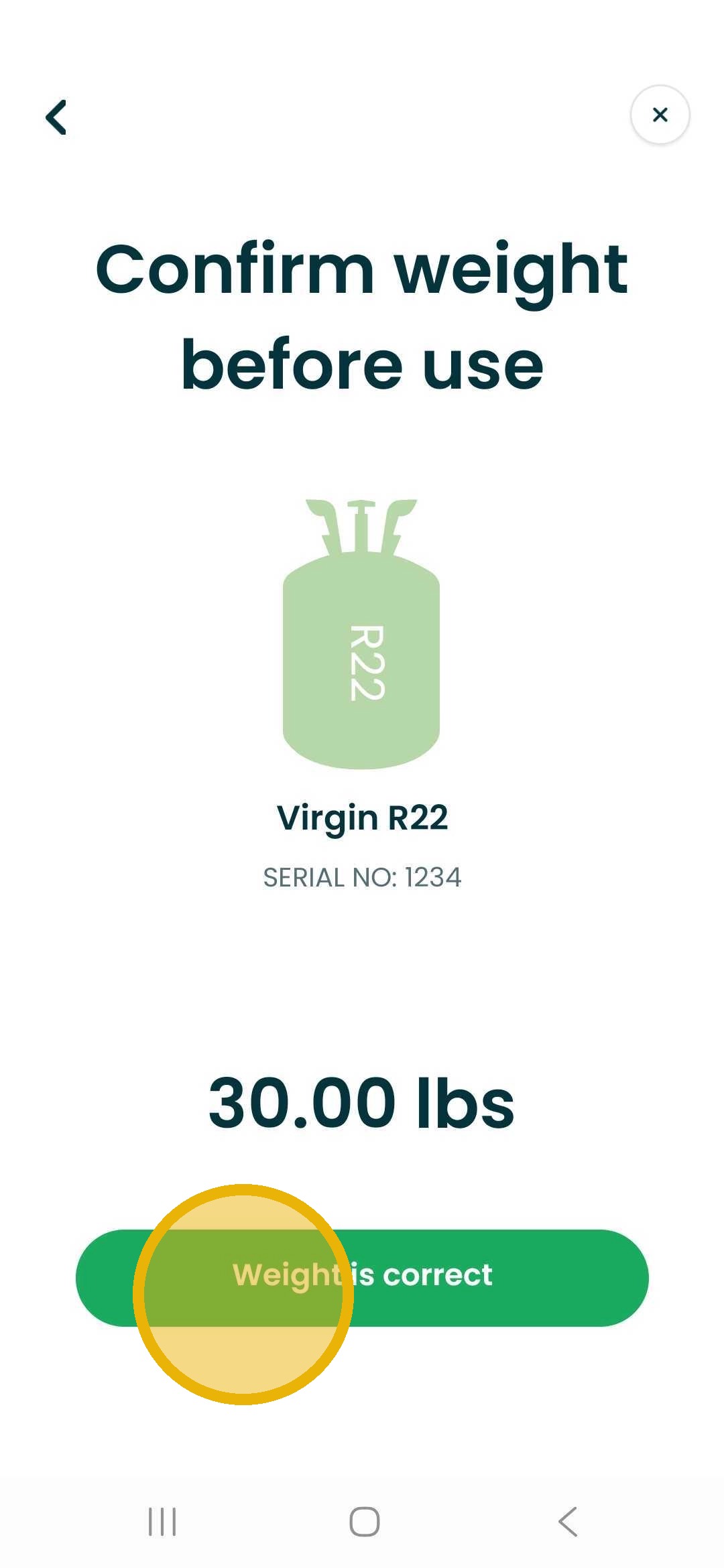
5. Confirm Weight Before Use
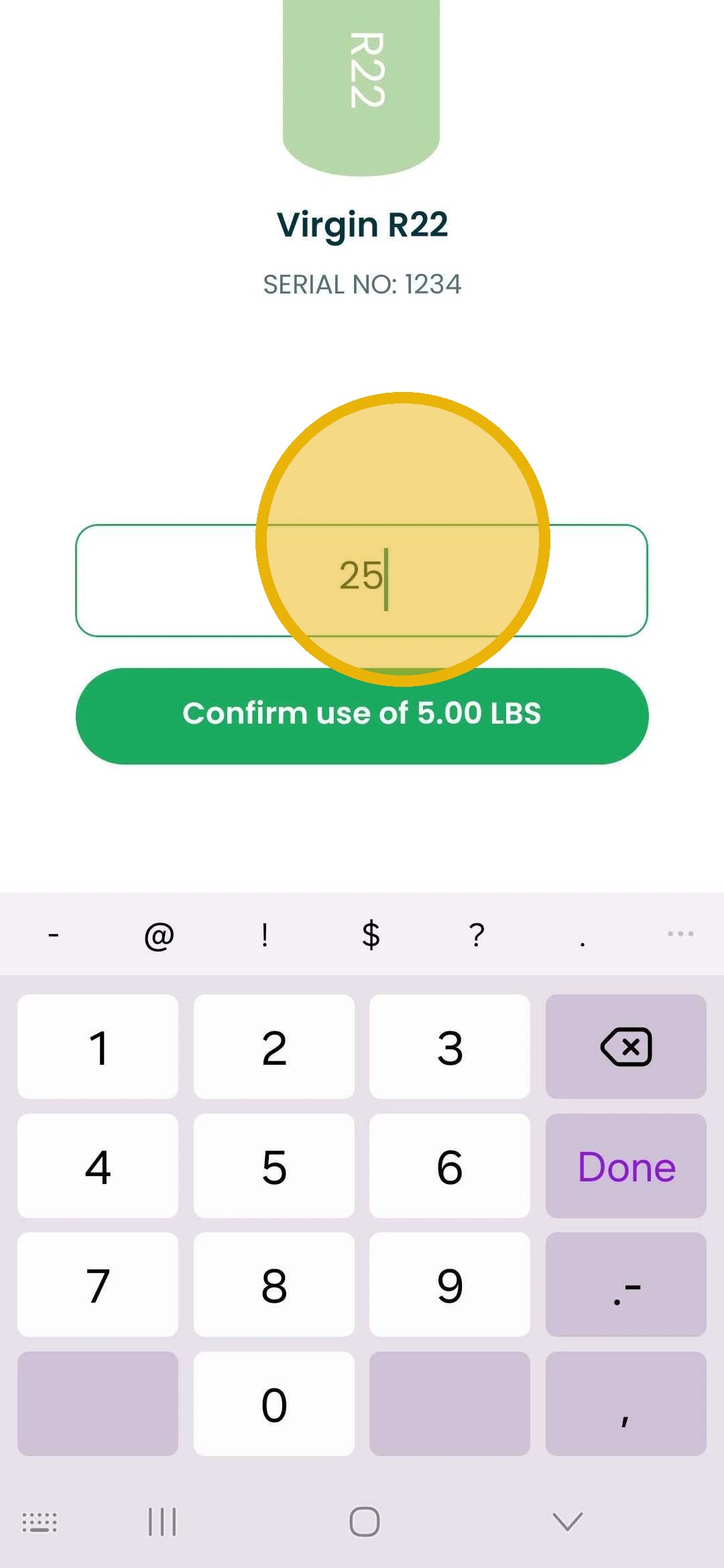
6. Confirm Weight After Use
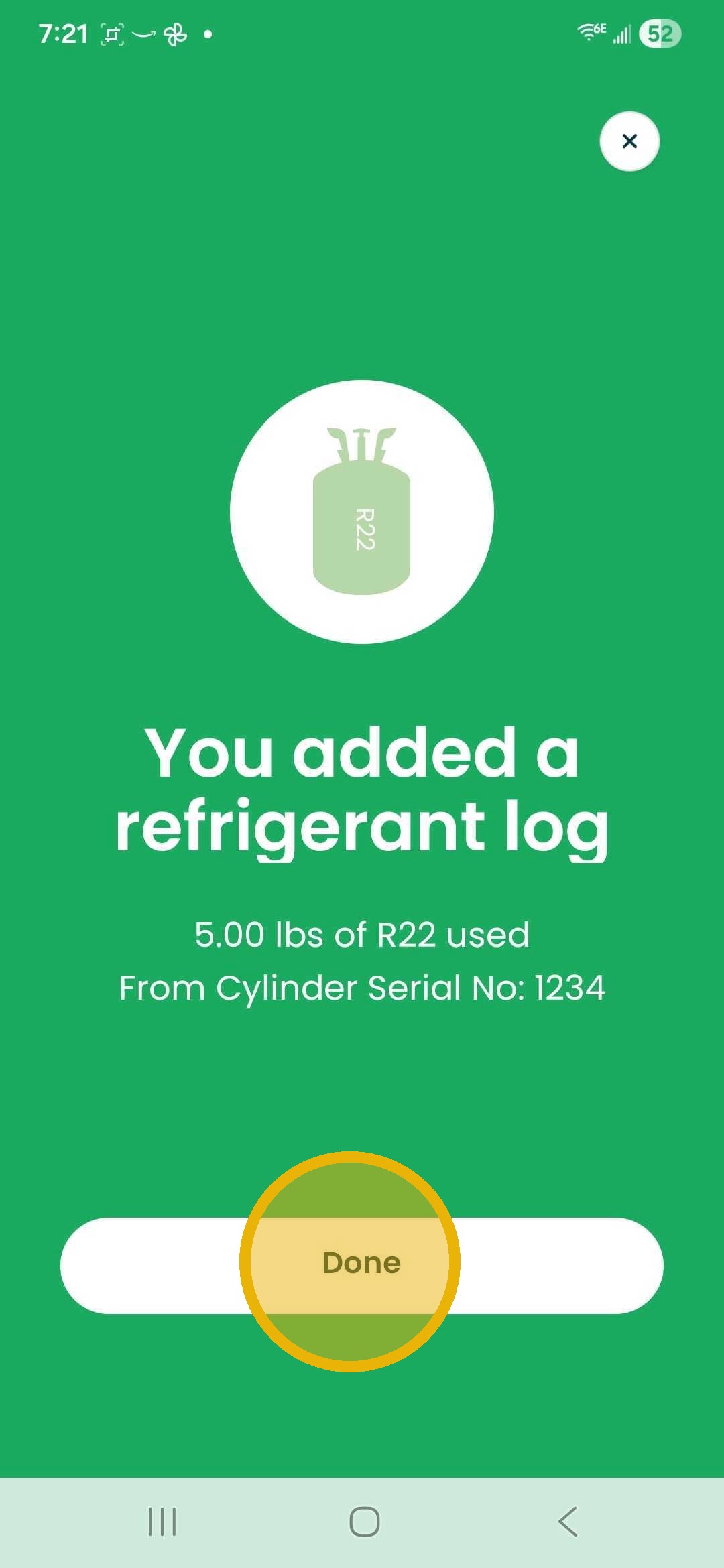
7. Once Updated Choose Done
2. Choose Refrigerant Logs
3. Select Log Type
4. Choose Cylinder
5. Confirm Weight Before Use
6. Confirm Weight After Use
7. Once Updated Choose Done