Skip to content
  • There are no suggestions because the search field is empty.

How to Deactivate a Property in AppWork

This guide provides a straightforward process for deactivating a property in AppWork, ensuring users can manage their listings efficiently. It outlines each step clearly, making it easy for anyone to follow, regardless of their technical expertise. By viewing this guide, users can save time and avoid potential errors when handling property settings, ultimately enhancing their experience with the platform.

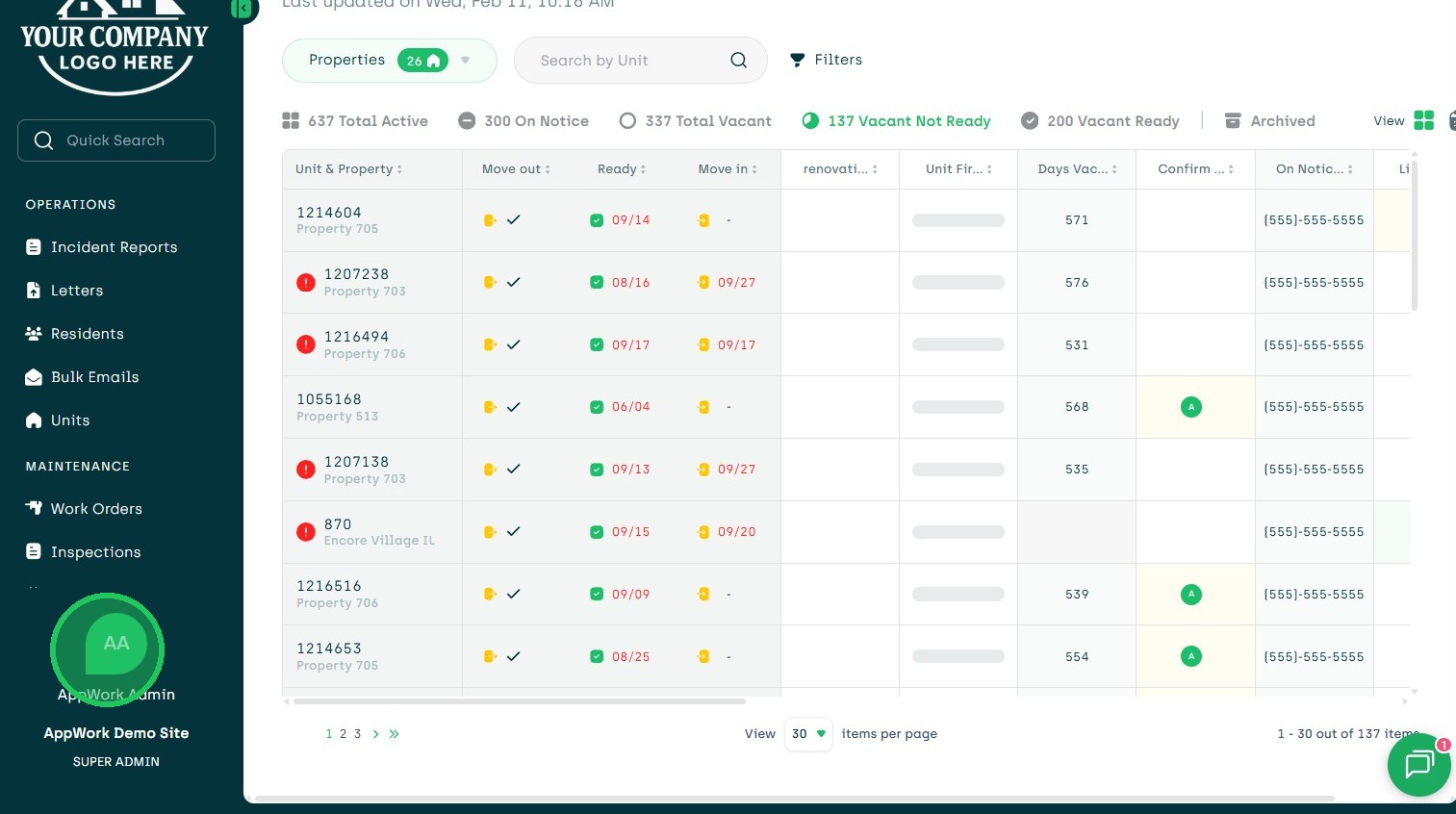
1. Navigate to Settings
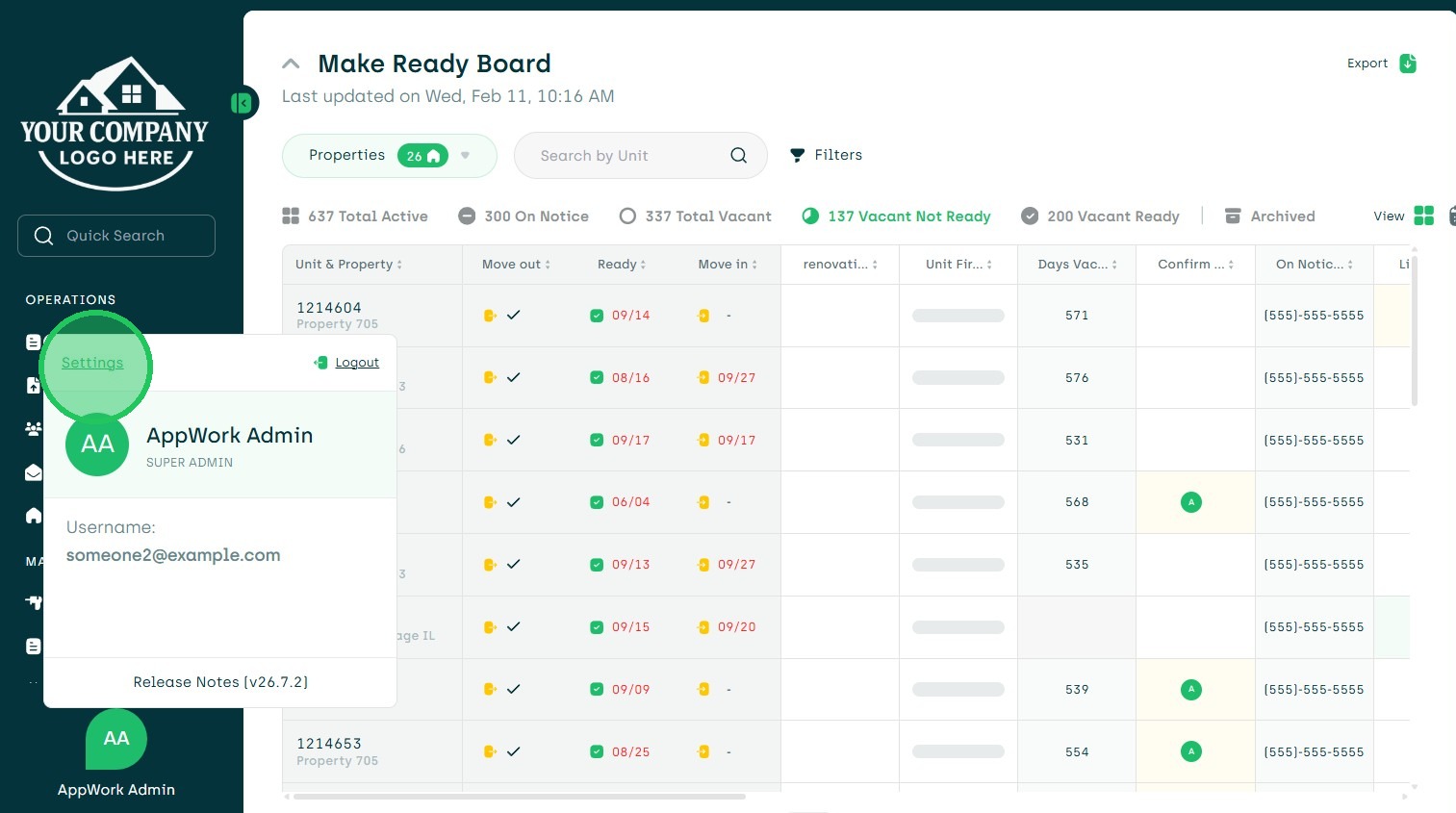
2. Choose Settings
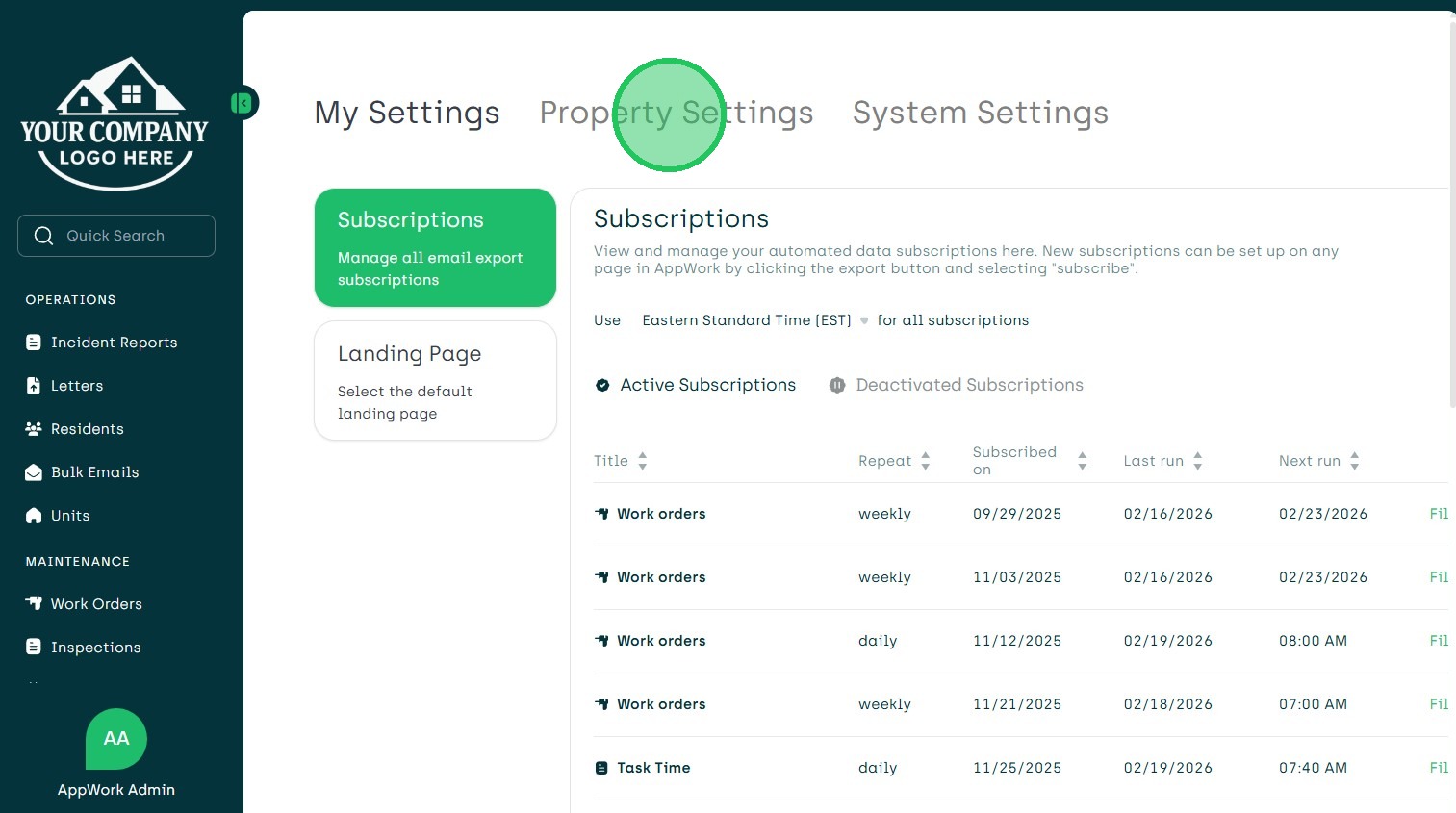
3. Choose Property Settings
4. Choose Property for Deactivation
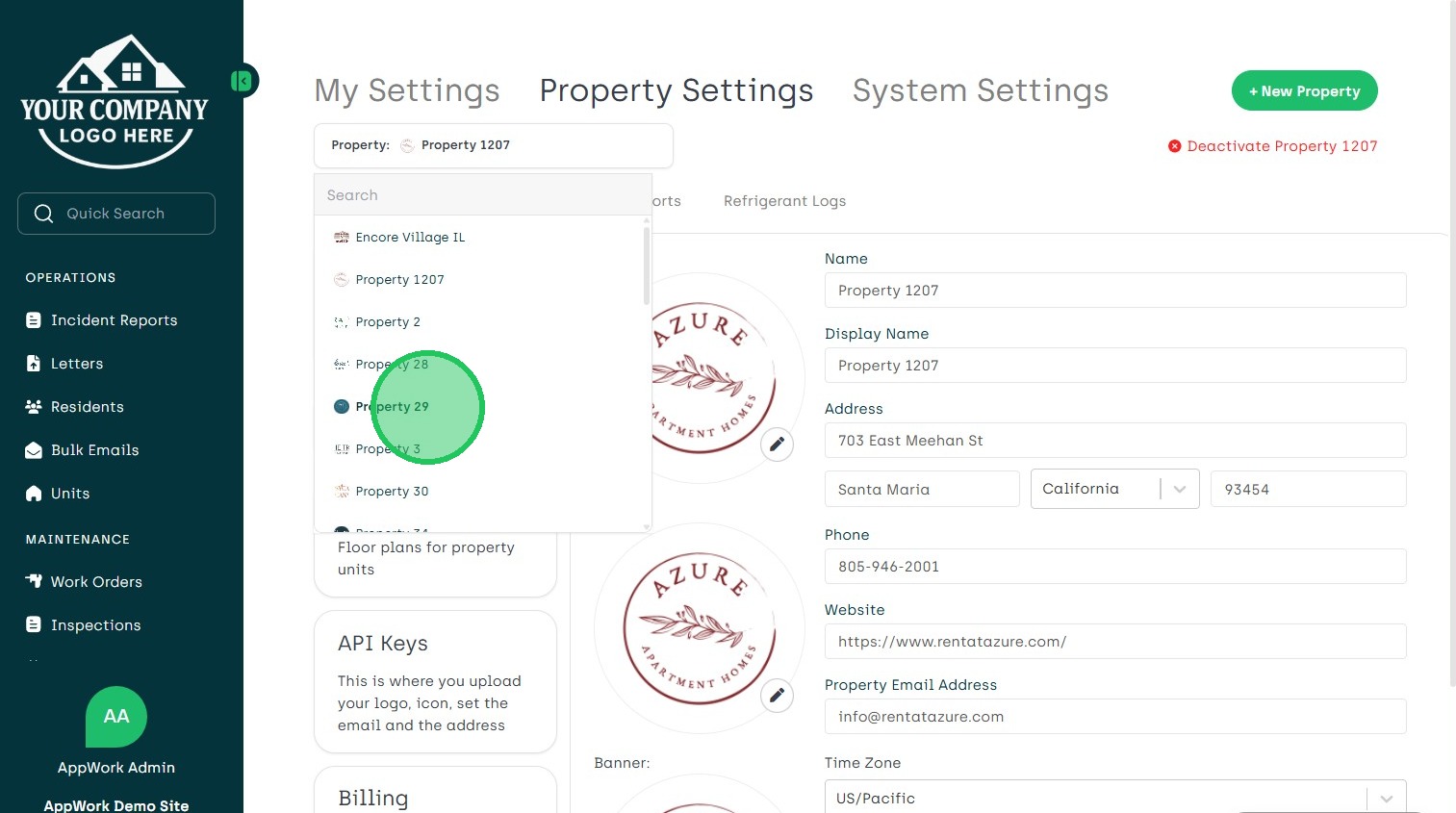
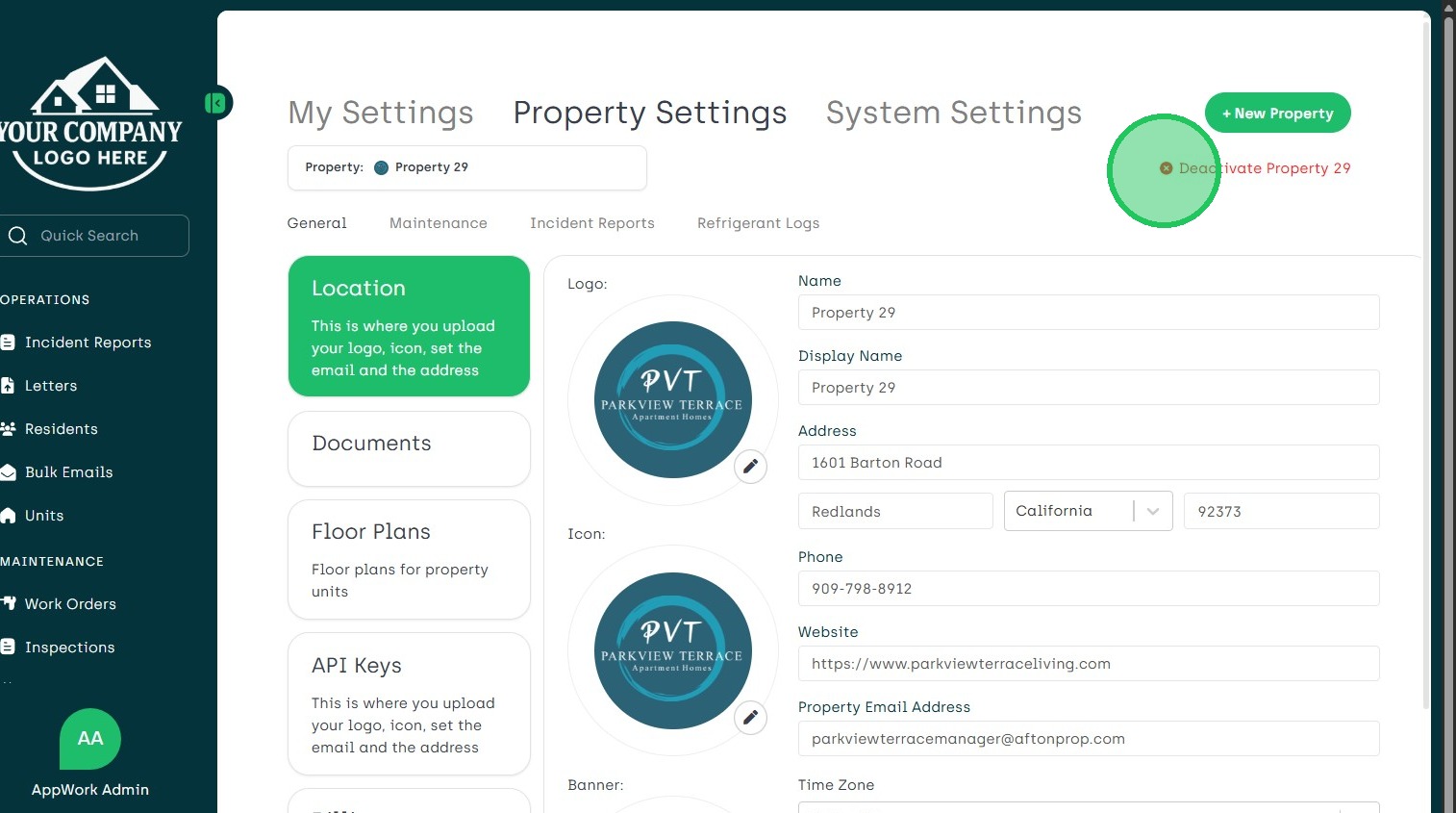
5. Click the Red x to Deactivate Property
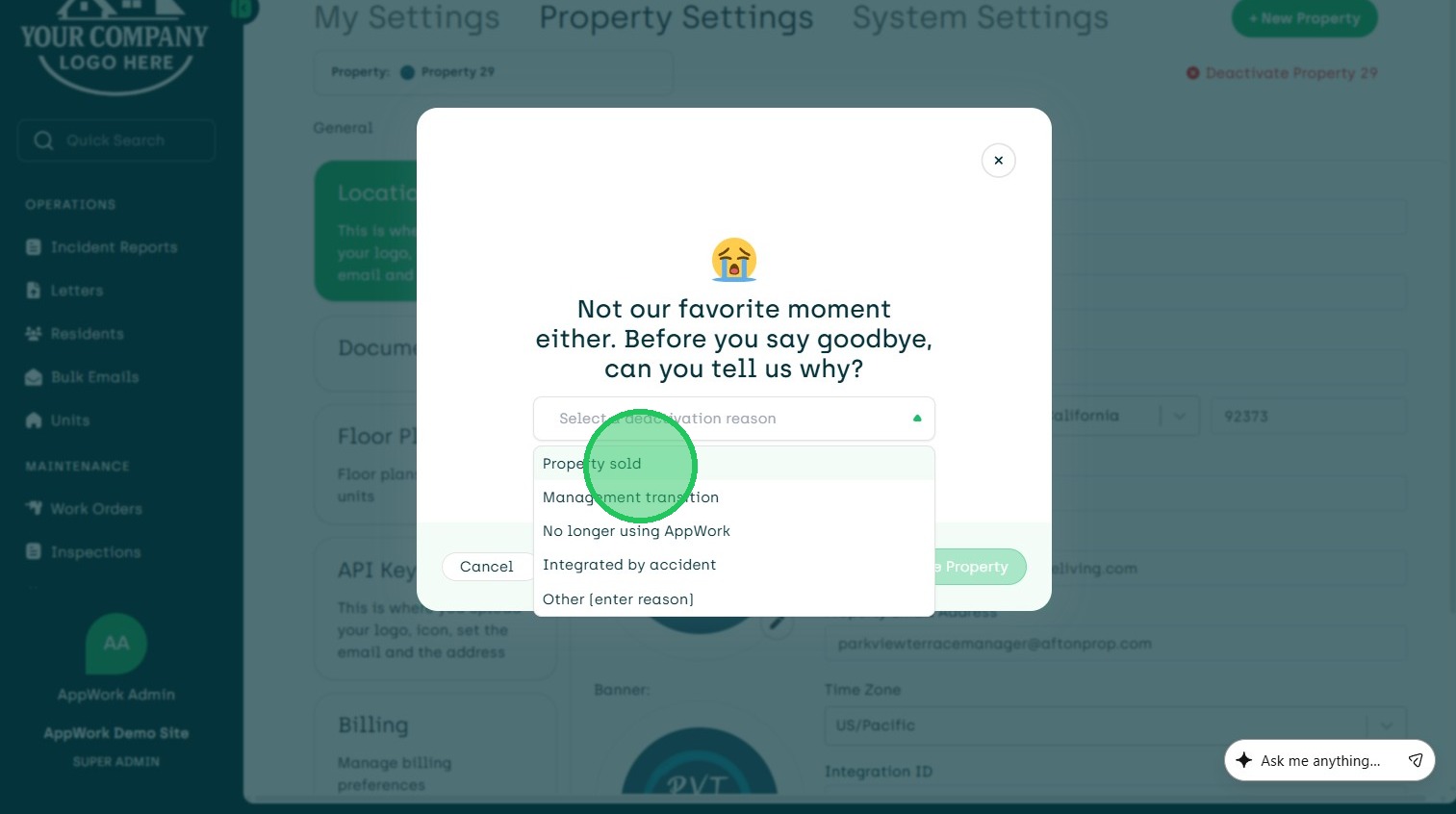
6. Choose Reason for Deactivation
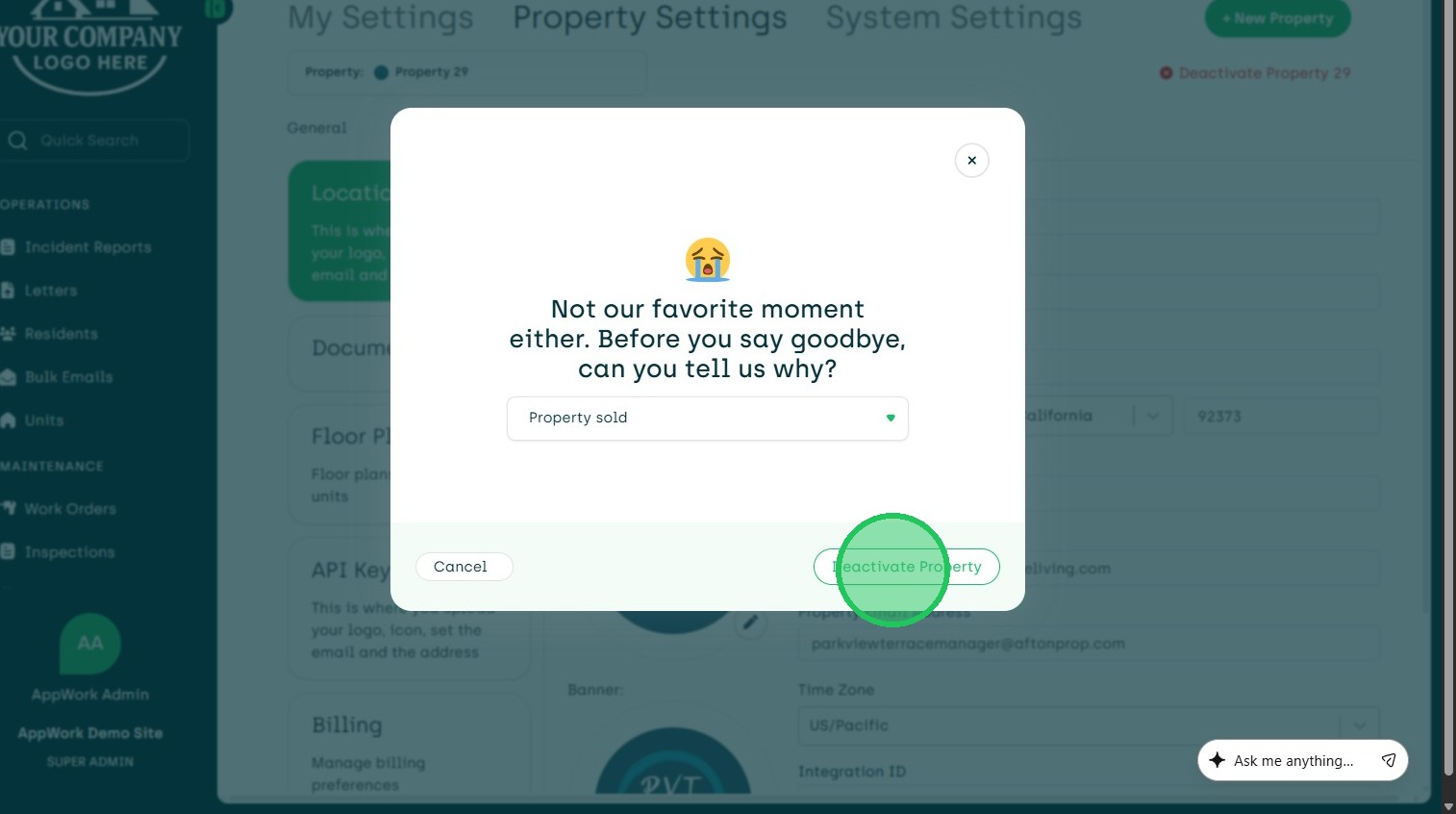
7. Choose Deactivate Property
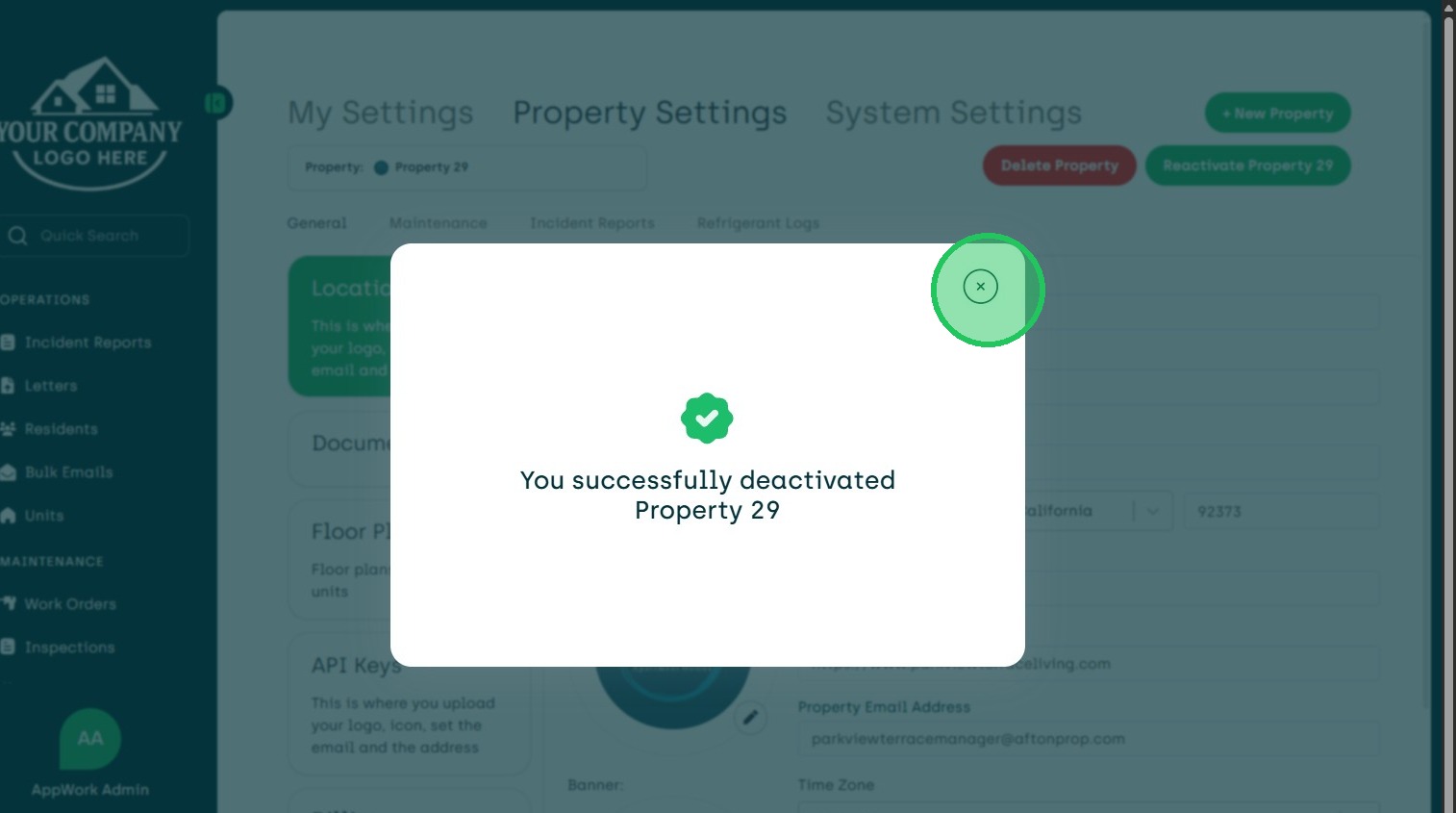
8. The Pop Up will Show the Property Successfully Deactivated. X Out of the Window