How To Add Additional Properties to the Existing Integration
Learn how to add new properties to your current integration. This guide provides a quick path to integrating and locating the additional property/ies. You can also learn to update your property details efficiently.
1. Add a New Property/ies - Navigate to your PMS System and Add to the Existing Integration.
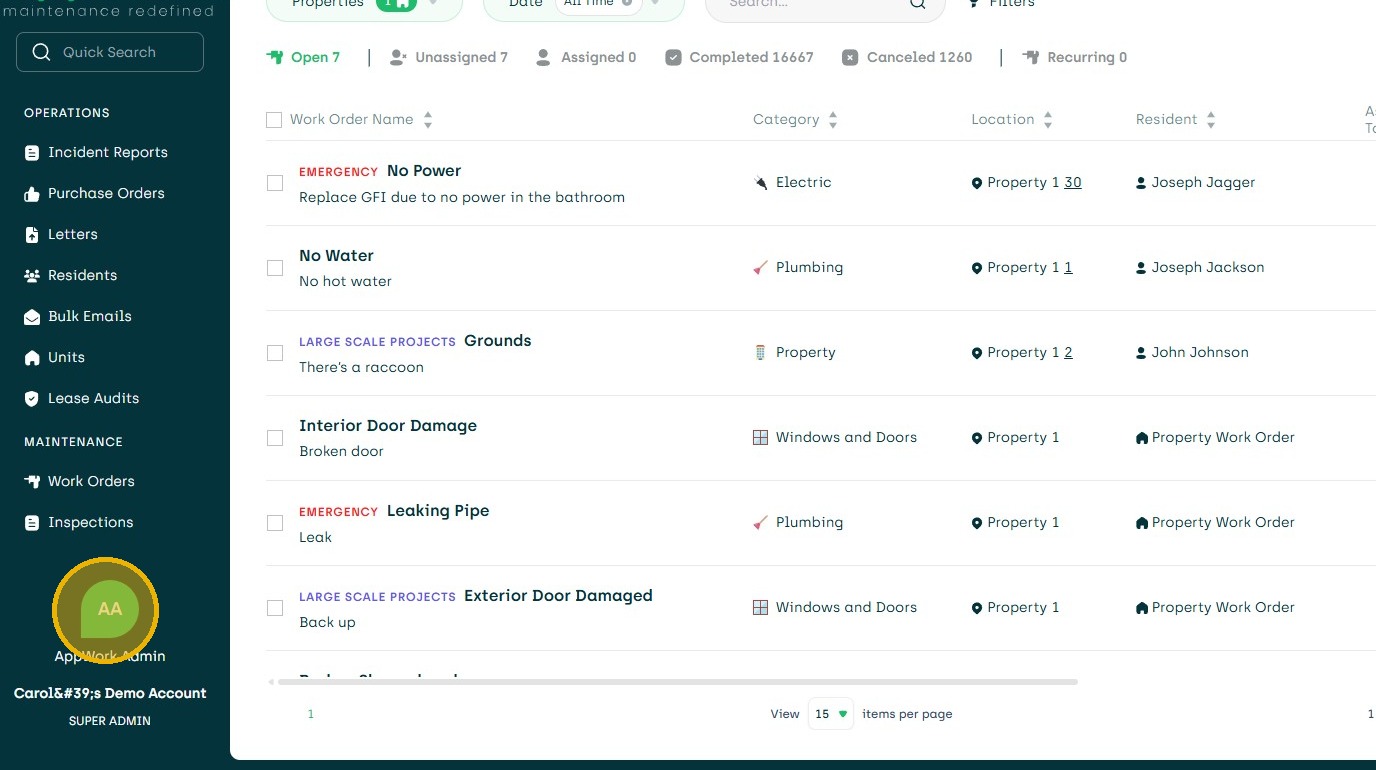
2. Within 24 Hours The Additional Property/ies Will be Visible in AppWork
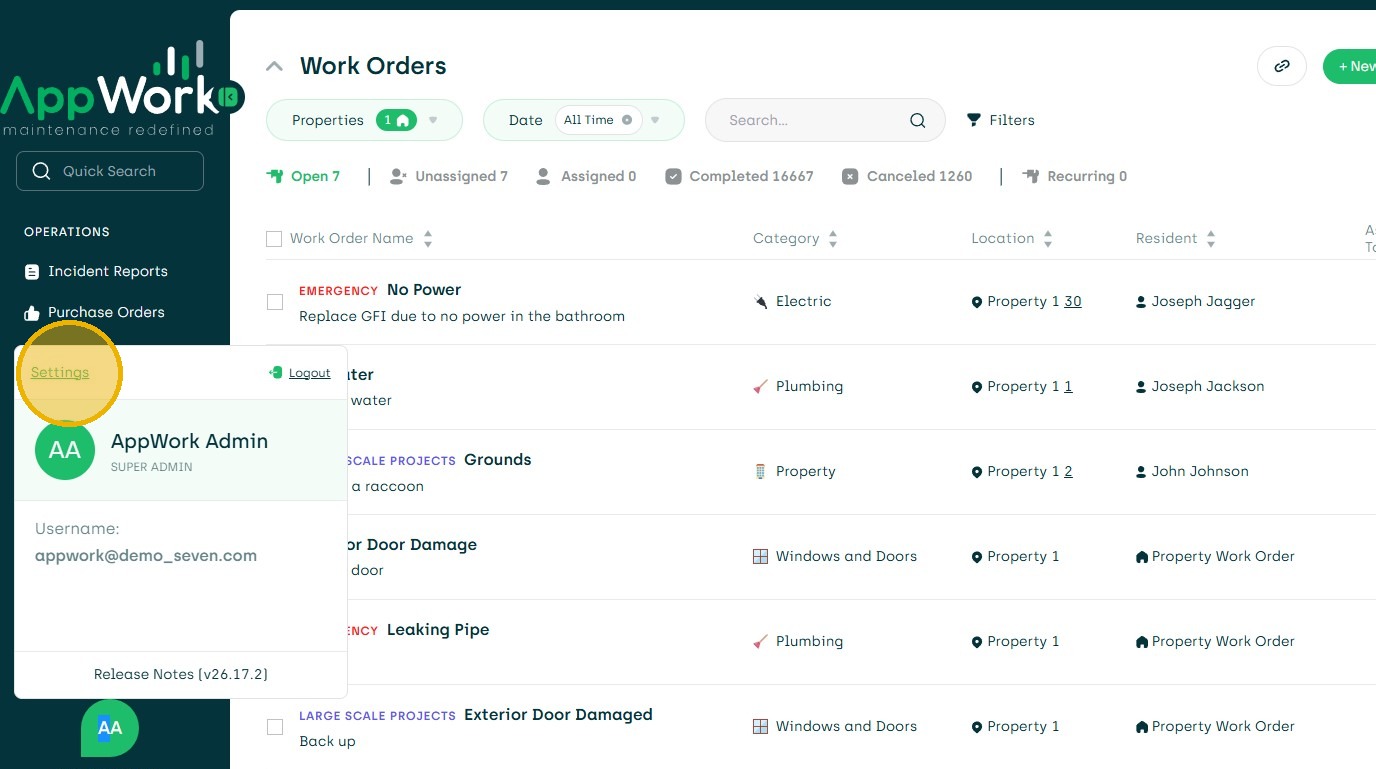
3. To View Them Click "Settings"
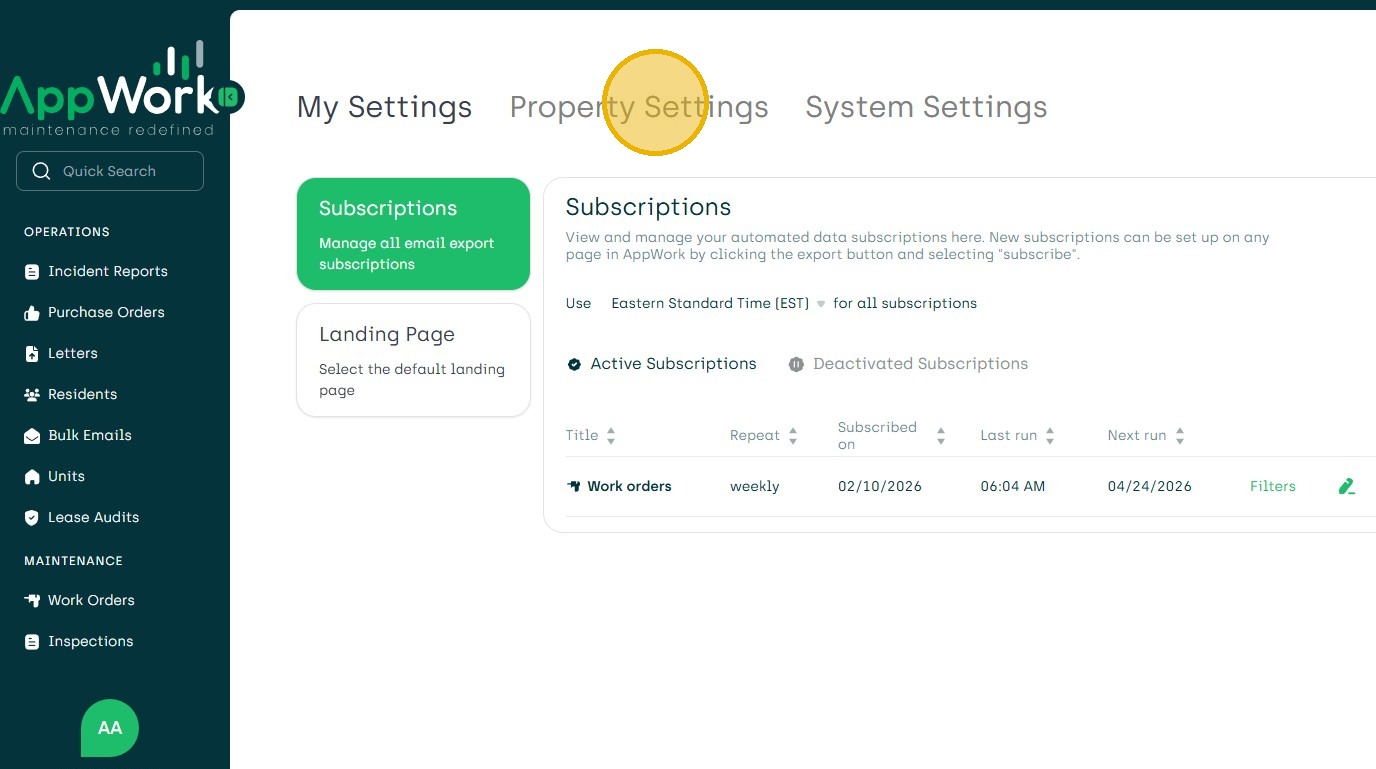
4. Property Settings
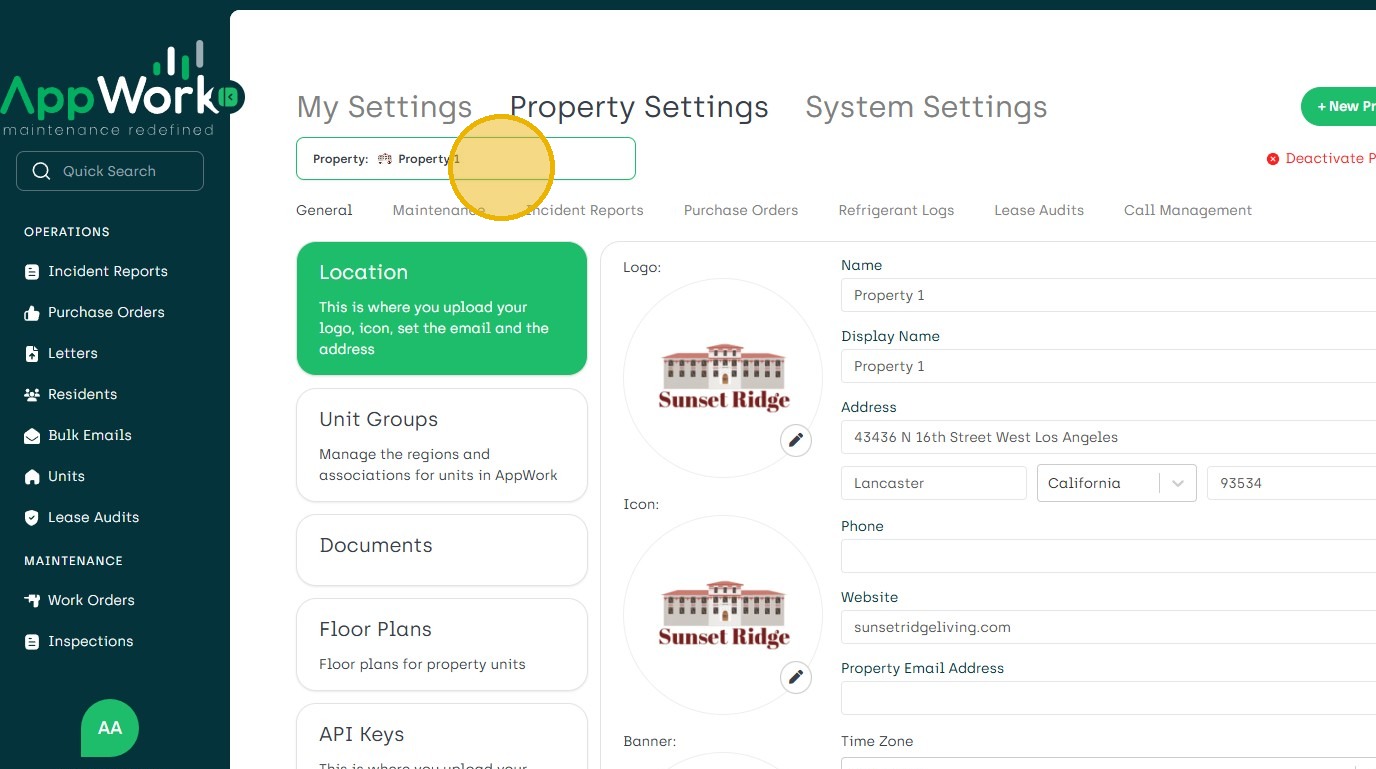
5. Search for New Property/ies.