
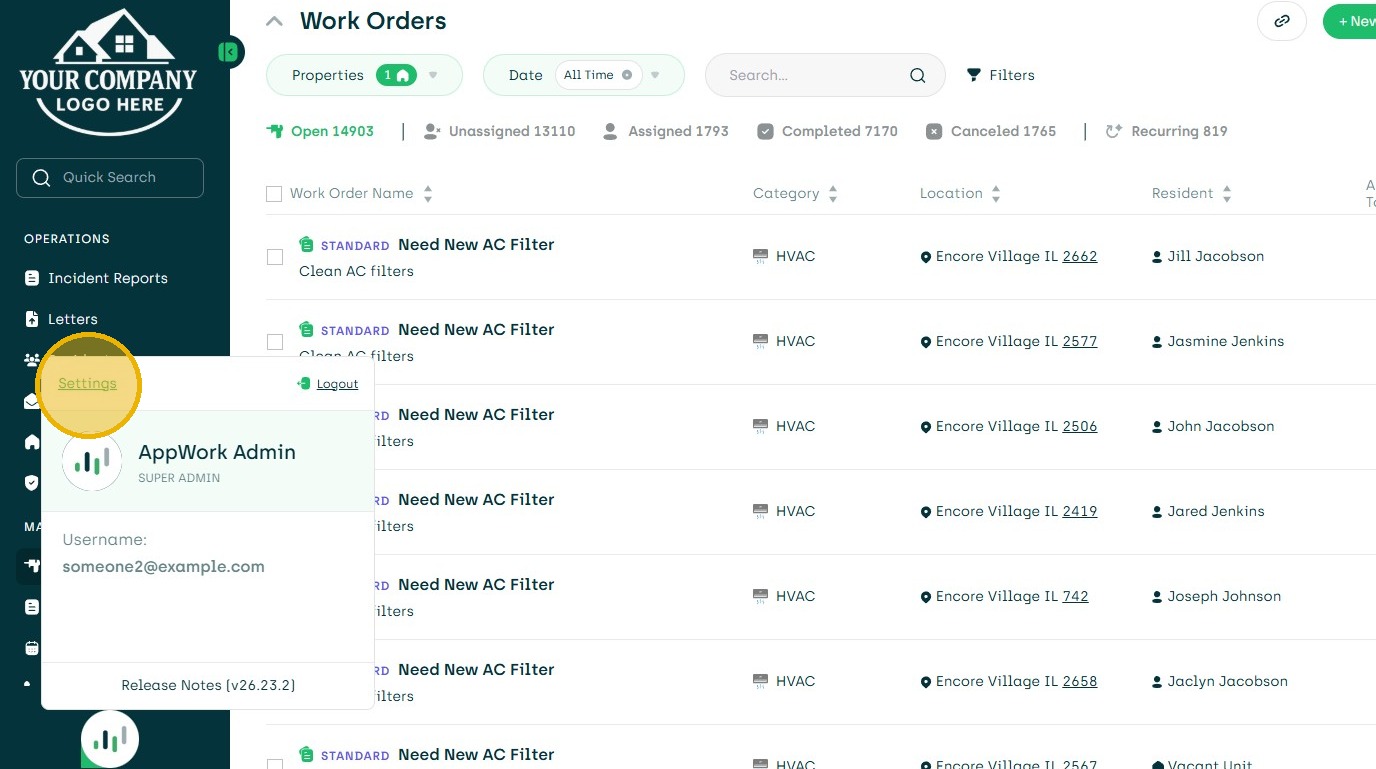
1. Click "Settings"
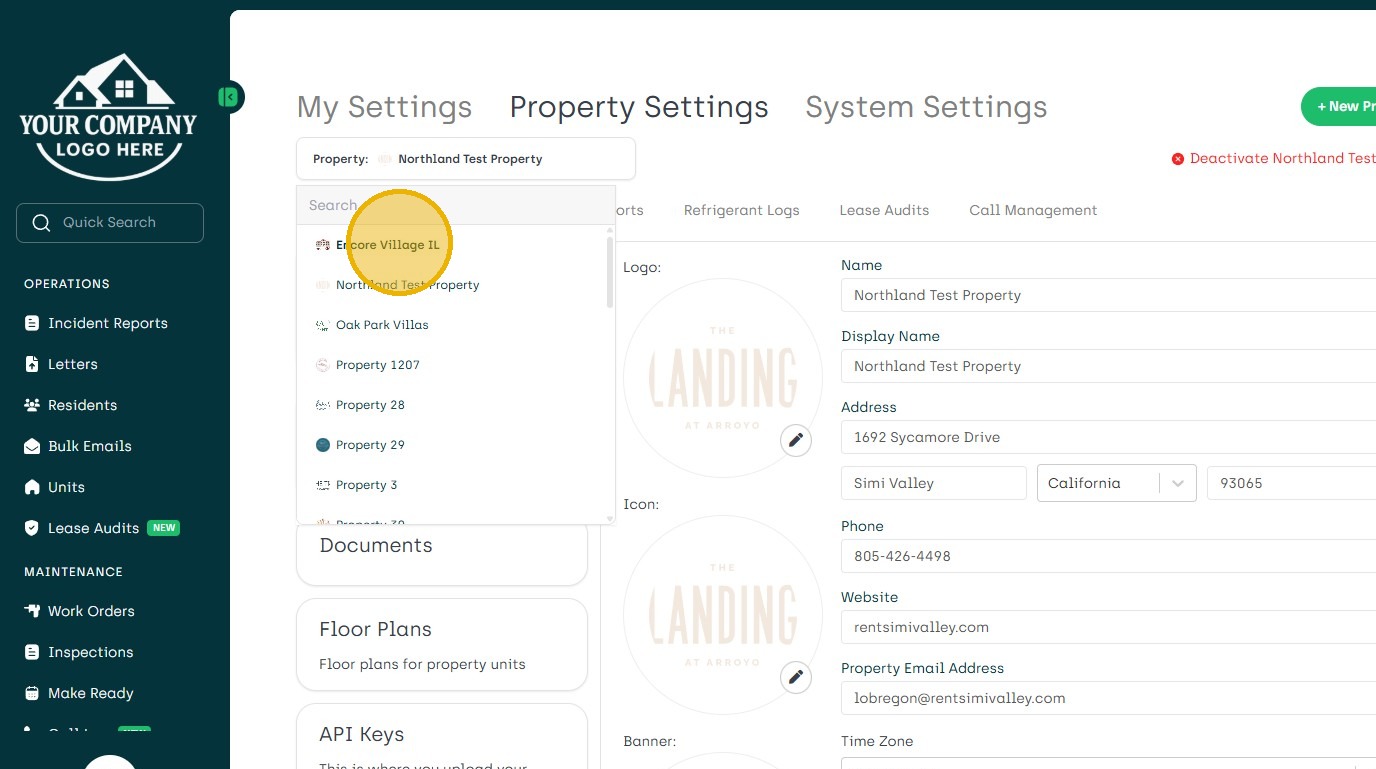
2. In Property Setting Choose Property
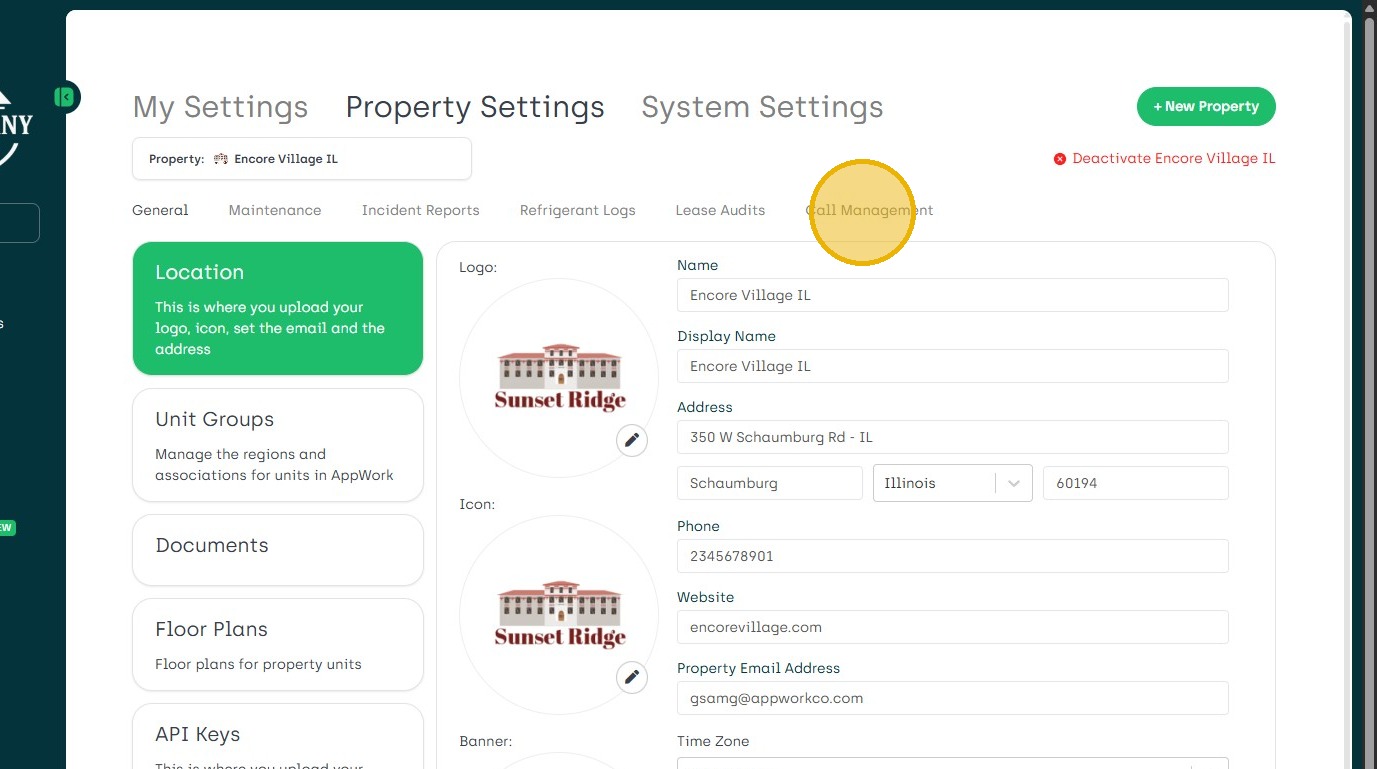
3. Navigate to Call Management
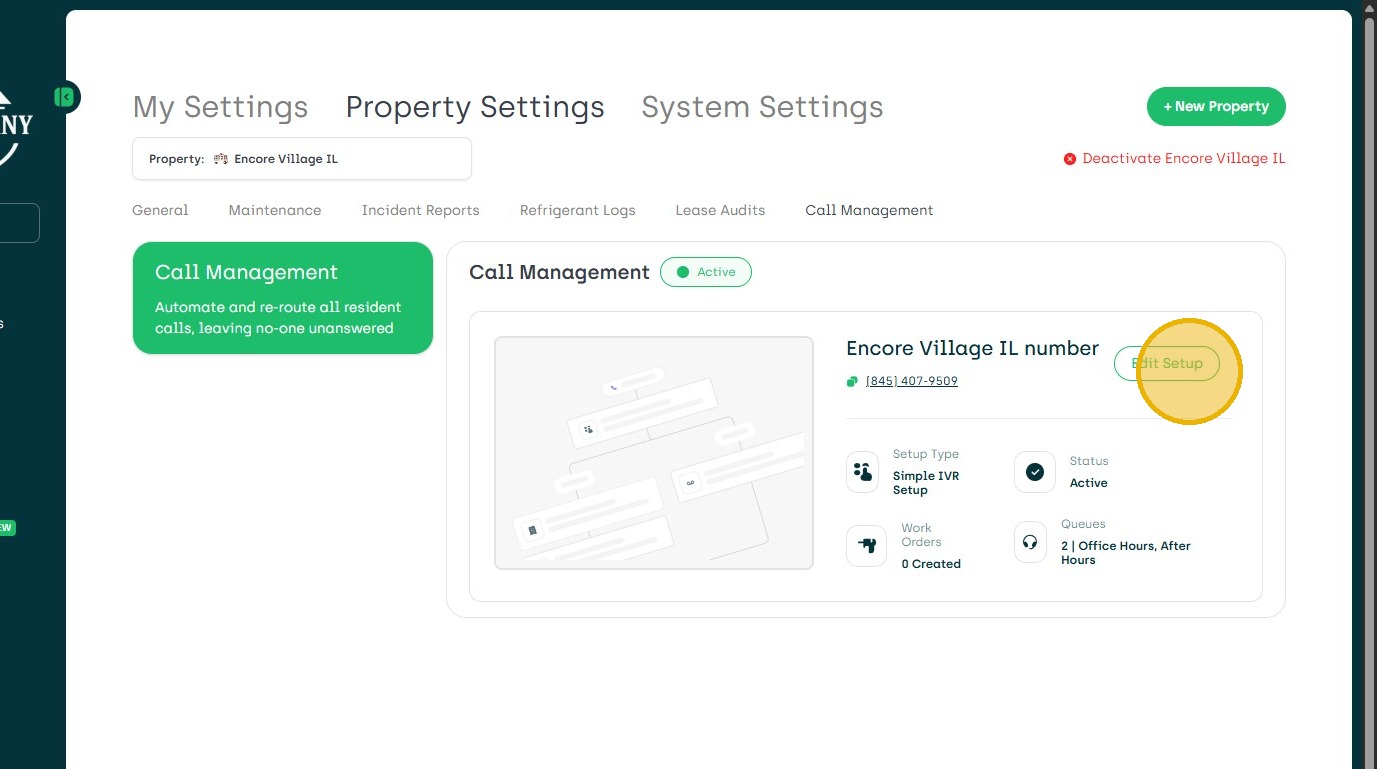
4. Choose Edit Setup
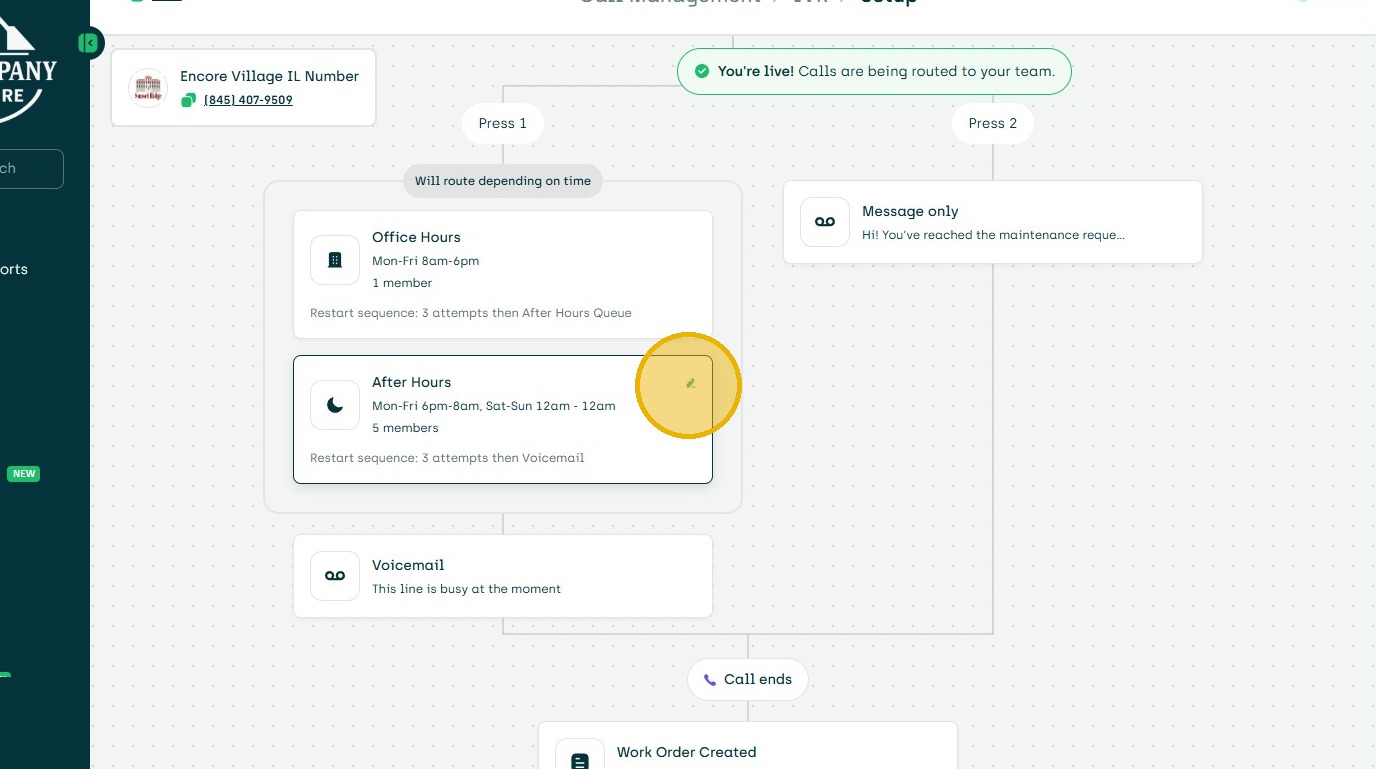
5. Choose the Section of the Call Tree to Edit
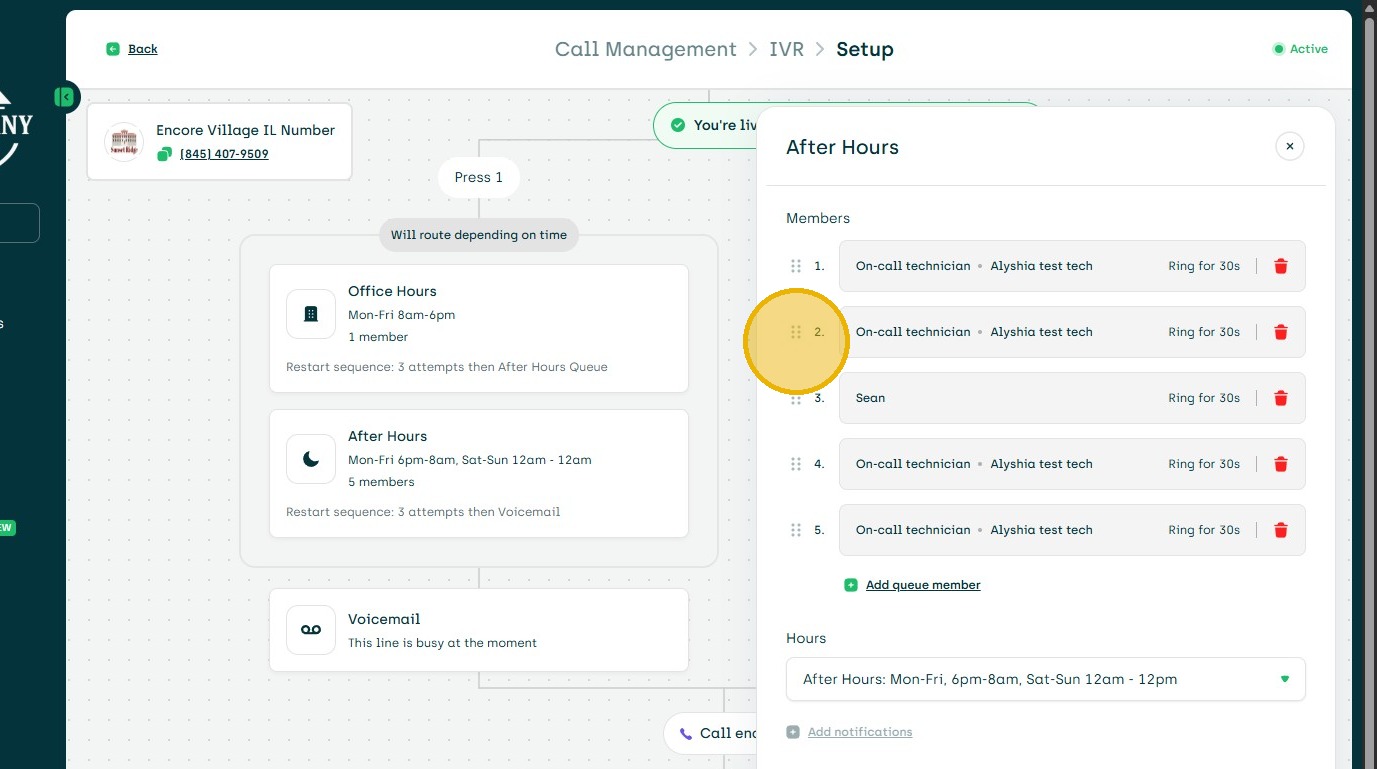
6. Click and Drag them in the Order Desired.
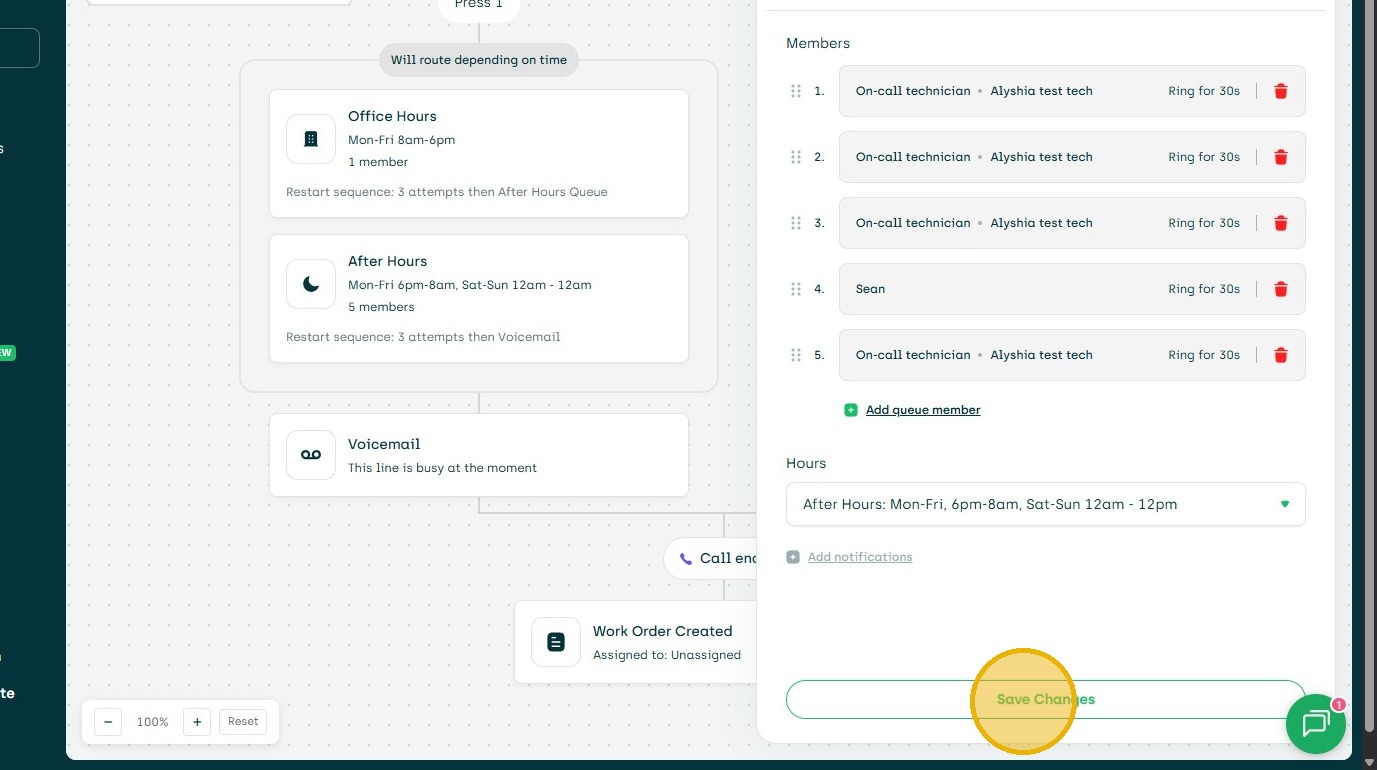
7. Then Save Changes
1. Click "Settings"
2. In Property Setting Choose Property
3. Navigate to Call Management
4. Choose Edit Setup
5. Choose the Section of the Call Tree to Edit
6. Click and Drag them in the Order Desired.
7. Then Save Changes